
Connect to Operto Teams to Guesty Pro
Complete these steps then sign up below.


These instructions are for customers who have completed an initial demo of Operto Teams.
If you have not yet had a demo, please schedule one before signing up:
Request a Demo
Step 1
Log into your Guesty dashboard.
Step 2
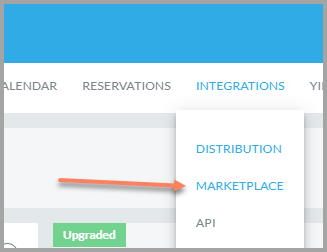
Go to Integrations --> Marketplace.
Step 3
Search for Operto Teams in the list and click on the Operto Teams logo or the blue Connect button.
https://app.guesty.com/integrations/partners/opertoteams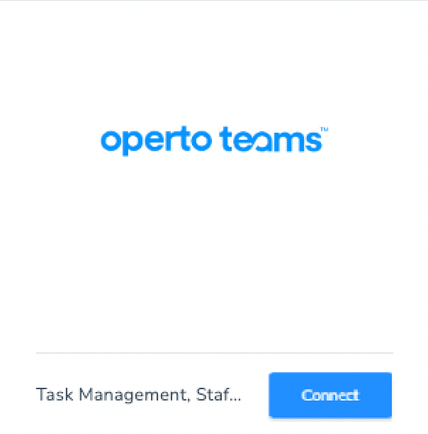
https://app.guesty.com/integrations/partners/opertoteams
Step 4
Click the blue Connect button in the upper right.
Step 5
Copy the API Key.
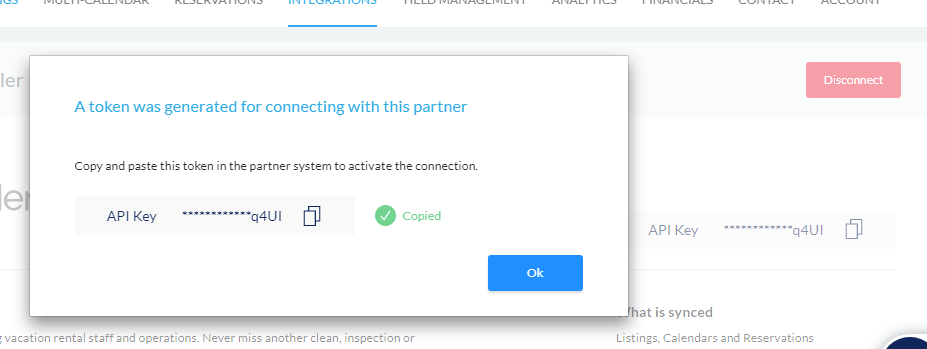
IMPORTANT: Perform the next steps within 3 hours or the API Key will expire and a new API Key will need to be generated to make the connection.
IMPORTANT: Perform the next steps within 3 hours or the API Key will expire and a new API Key will need to be generated to make the connection.
Sign Up for Operto Teams
Contact us at any time for setup help.
Copyright © Operto Teams 2026